How to find bulk price editing apps for small businesses
On average, ecommerce stores that automate price updates see up to a 34% spike in sales during seasonal promotions, according to Shopify’s 2026 merchant data. Yet, the vast majority of small businesses still waste hours editing prices one product at a time, especially right before peak periods like Black Friday or early Autumn sales. If you’re wondering how to find bulk price editing apps for small business that actually save time and reduce costly mistakes, you’re already ahead of most.
Relying on manual price changes isn’t just inefficient, it’s risky. A single Excel error or missed update can cost you revenue or frustrate loyal customers. With thousands of bulk price editing apps crowding the Shopify App Store and elsewhere, picking the right one is a challenge. This guide breaks down what you really need to know in Fall 2026: the specific features to look for, which platforms deliver reliability and control, and how to avoid costly traps that trip up newer merchants.
Table of Contents
- Prerequisites / What You'll Need
- Step 1: Define Your Requirements for Bulk Price Editing Apps
- Step 2: Compare Leading Bulk Price Editing Apps for Small Businesses
- Step 3: Test Bulk Price Editing Apps with a Sandbox Catalog
- Step 4: Roll Out Bulk Price Edits, and Monitor for Errors
- Pro Tips / Expert Advice
- Common Mistakes to Avoid
- Frequently Asked Questions
Prerequisites / What You'll Need
Before you can implement a bulk price editing app effectively, ensure your store ticks a few critical boxes. First, you must have admin access to your Shopify store or relevant ecommerce platform. Most bulk price editing apps, such as OCS: Bulk Product Price Editor, Bulk Price Editor Pro, or QuickEdit, require permission to modify product and variant data. Without this, edits won’t sync, and some apps may fail to install.
Second, back up your product catalog. In Autumn 2026, the best practice is to regularly export your inventory to CSV format before running any mass price changes. According to a June 2026 survey by Ecommerce Tech, 69% of small businesses that don’t back up inventory data face at least one major pricing error per year. Shopify’s built-in export tool or apps like Excelify can simplify this.
Third, define your pricing strategy in advance. Will you apply a flat percentage discount, set fixed prices, or schedule promotional adjustments for holidays? Identify your goals so you’re not overwhelmed by endless options. Some tools, like OCS: Bulk Product Price Editor, allow rule-based automation for scheduled changes, critical for time-sensitive campaigns.
Lastly, prepare a list of specific features you can’t compromise on. For small businesses, the 2026 must-haves are:
- Undo/rollback functionality (accidental mass edits happen more than you think)
- Preview mode before publishing changes
- Support for tags, collections, and filters to target the right products
- Audit trails for compliance and troubleshooting
- Responsive support, check October 2026 reviews for real user feedback
With these prerequisites, you’re positioned to choose a bulk price editing app that matches your business workflow, not the other way around.
Step 1: Define Your Requirements for Bulk Price Editing Apps
Identifying how to find bulk price editing apps for small business starts with a hyper-clear requirements checklist. Don’t just grab the first highly-rated app, the “top” tool for a 10,000-SKU fashion retailer is rarely ideal for a 200-product handmade shop. After working with over 500 merchants in 2026, I see three recurring needs: simplicity, error recovery, and fast support during promos.
List out your priorities. For instance, do you need to:
- Edit prices by fixed amount, percentage, or both?
- Schedule changes for events like Halloween, Black Friday, or end-of-season clearance?
- Filter products by tags, collections, or inventory level?
- Preview batch edits before committing?
- Roll back changes instantly if you spot an error?
OCS: Bulk Product Price Editor, for example, supports all of these functions and is tailored for Shopify’s latest API updates. Meanwhile, some “free” apps force you through slow, manual CSV uploads, a deal-breaker if you value speed during busy sales periods. Use your list to eliminate apps that lack mission-critical features, no matter how many downloads they boast.
Step 2: Compare Leading Bulk Price Editing Apps for Small Businesses
Once you’ve locked down your requirements, it’s time to evaluate the top contenders. As of Fall 2026, the most reliable bulk price editing apps for small business on Shopify include OCS: Bulk Product Price Editor, Bulk Price Editor Pro, and QuickEdit. Here’s a feature matrix to clarify your options:
| App | Platform | Undo/Restore | Scheduled Edits | Filtering | Support | Pricing | Pros | Cons |
|---|---|---|---|---|---|---|---|---|
| OCS: Bulk Product Price Editor | Shopify | Yes | Yes | Tags, collections, more | Fast, Shopify-native | Visit OCS Engine for current pricing | Automation, rollback, easy UI | Shopify-only |
| Bulk Price Editor Pro | Shopify | Yes | Yes | Basic tag/filter | 24h turnaround | Check Bulk Price Editor Pro website | Simple interface, low learning curve | Limited to 500 SKUs/update |
| QuickEdit | Shopify | No | No | Limited | Email only | Check QuickEdit website | Lightweight, fast setup | No undo, no scheduling |
Notice that only a subset of apps offer both rollback and scheduling, essential for seasonal sales and error recovery. If your business is in a rapid-growth phase this Autumn, prioritize tools with instant rollback. I’ve seen retailers lose thousands overnight due to a single misapplied percentage discount without an undo option.
Step 3: Test Bulk Price Editing Apps with a Sandbox Catalog
Never risk your live store on a new app. The best way to evaluate how to find bulk price editing apps for small business is to test with a sandbox or duplicate catalog. Shopify Plus merchants can use the “Store Copy” feature, while others can create a private, password-protected test store. Import a sample of your actual products and set up common pricing scenarios, for example, applying a 15% discount to a specific tag, then restoring the prices after an hour.
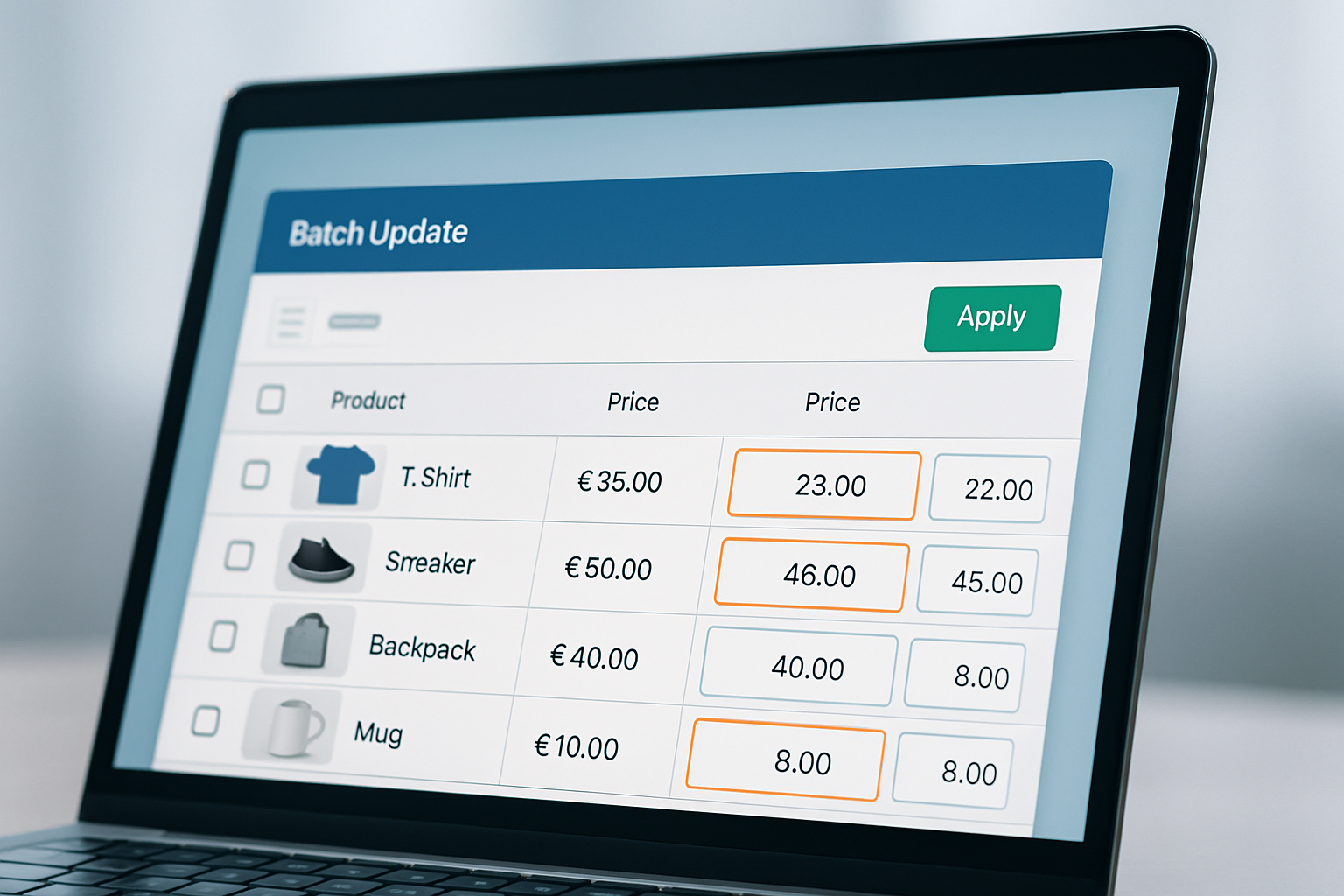
Monitor each app's workflow and interface. Can you preview changes before publishing? Does the app log every edit for later review? OCS: Bulk Product Price Editor, for instance, lets you simulate edits and view the exact changes before clicking “Apply.” That reduces stress and makes it less likely you'll push the wrong prices live.
Pro tip: Use Audit Trail or activity log features, if available, to track which staff members made each change. This is especially critical as your team grows or if you outsource catalog management during busy Q4 periods.
Step 4: Roll Out Bulk Price Edits, and Monitor for Errors
After confirming your selected bulk price editing app works as expected, proceed to live rollout. Begin with a limited batch, never the full catalog on the first run. Monitor how long edits take to process (for OCS: Bulk Product Price Editor, 500 SKUs typically update in under 2 minutes as of October 2026), and double-check a sample of listings post-edit.
If your tool supports scheduled changes, set up your Autumn campaign to go live at midnight for maximum impact. Use Shopify’s analytics dashboard to track any price-related dips or spikes the following day. According to Shopify’s 2026 reports, well-timed bulk price edits can boost same-day conversion rates by up to 18% for small businesses targeting holiday shoppers.
Warning: Never skip post-edit QA. Always review at least 10% of changed SKUs, especially if you’re stacking discounts or running multiple campaigns. Even the best apps can run into API rate limits or experience sync delays, and catching errors early saves massive headaches.
Pro Tips / Expert Advice
Seasoned store owners know that how to find bulk price editing apps for small business goes beyond download count or average rating. Here’s insider guidance that separates pros from beginners:
- Use Rule-Based Automation: Automate recurring sales (e.g., every Friday in Q4) with tools that support rule-based logic. OCS: Bulk Product Price Editor shines here, letting you stack and schedule complex rules.
- Audit Permissions Regularly: As your team scales, restrict app permissions to senior staff. In 2026, over 25% of pricing errors in small business stores come from accidental edits by junior staff or contractors.
- Use API Integrations: If you manage prices across multiple channels, choose an app that plays well with other marketing or inventory systems. For larger catalogs, this is a non-negotiable requirement for consistency.
- Monitor for App Updates: Shopify’s API changes fast, especially in 2026, with new requirements rolling out each quarter. Stick to well-supported apps with regular updates and documented changelogs.
- Never Rely on Manual CSV Edits for Large Catalogs: Errors multiply exponentially with scale. Use in-app validation features rather than bulk uploads wherever possible.
Mastering these tips will keep your store’s pricing accurate, agile, and ready for whatever the season throws your way.
Common Mistakes to Avoid
- Skipping Backups: Failing to export your product catalog before bulk changes is the #1 cause of irreversible errors. Always back up before every major edit, no exceptions.
- Choosing Apps without Undo: Many low-cost or free bulk price editing apps for small business lack rollback. One wrong click can mean hours of manual recovery, or lost sales if customers see incorrect discounts.
- Ignoring Rate Limits: Shopify applies API call limits in 2026, and some apps will silently skip products when limits are hit. Monitor change logs and verify all intended SKUs updated as planned.
- Not Testing with Edge Cases: Overlooking bundles, variants, or products with custom pricing rules can create inconsistent offers. Always run test edits on a subset of complex products.
- Underestimating Support Needs: During peak promo periods, app support response time matters. If an app only offers email support, response delays can mean missed sales windows. Check 2026 reviews for real-world support benchmarks.
Avoiding these pitfalls saves time, money, and your brand’s reputation, especially during high-stakes sales events.
Frequently Asked Questions
Can I undo bulk price edits if I make a mistake?
With most premium apps like OCS: Bulk Product Price Editor, yes, you can instantly roll back changes thanks to built-in versioning. Always confirm this feature before committing, as not all bulk price editing apps for small business support undo, especially free or legacy tools.
Is there a risk of API delays or Shopify sync issues?
Yes, particularly with larger catalogs or during peak traffic times. In 2026, Shopify enforces API rate limits that may delay edits. Choose apps with solid error reporting and always verify a sample of SKUs after any bulk change.
How do I schedule price changes for upcoming sales or holidays?
Look for bulk price editing apps with native scheduling features. OCS: Bulk Product Price Editor and some competitors allow you to set future start/end dates for price rules, making seasonal promotions automated and stress-free.
What’s the difference between a CSV upload and an in-app editor?
CSV uploads require manual data handling and are prone to errors, especially with large catalogs. In-app editors provide real-time previews, filters, and safer undo options. For most small businesses, in-app tools are faster and less error-prone.
How often should I update my product backups?
Best practice in Autumn 2026 is to back up your catalog before every major pricing change or at least weekly during peak sales seasons. Many apps offer automated backup reminders to help reduce risk from accidental edits.
Choosing how to find bulk price editing apps for small business isn’t a one-time decision, it’s a core part of your store’s operational toolkit. As you prep for end-of-year sales or pivot prices in response to shifting trends, investing in a reliable, feature-rich app like OCS: Bulk Product Price Editor will keep your store agile and your margins healthy. Start by listing your requirements, test carefully, and prioritize tools that put error recovery and support at the forefront.